UPPCL Bill Payment Online 2026 — Complete Guide (UPI, Net Banking, Card)
Gone are the days of standing in long queues at the electricity office or payment counters. UPPCL online bill payment lets you pay your electricity bill from anywhere — your home, office, or even while travelling — in less than 2 minutes.
This guide covers every available method to pay your UPPCL bill online in 2026, along with tips to avoid payment failures and get your receipt instantly.
Method 1: Pay UPPCL Bill on Official Website Recommended
Step-by-Step: upenergy.in
- Visit www.upenergy.in on your browser
- Click on “Quick Bill Payment” from the homepage menu
- Enter your 10-digit consumer account number
- Your bill details (amount due, due date) will appear on screen
- Click “Pay Now” to proceed
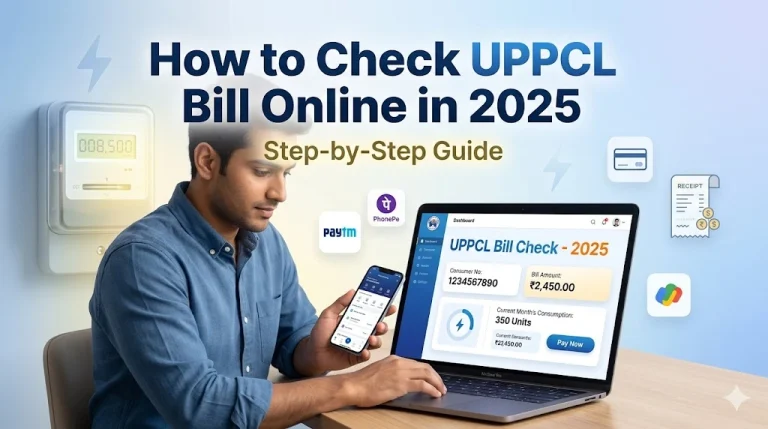
- Choose your payment method: UPI / Net Banking / Debit Card / Credit Card
- Complete the payment — a confirmation number will be generated
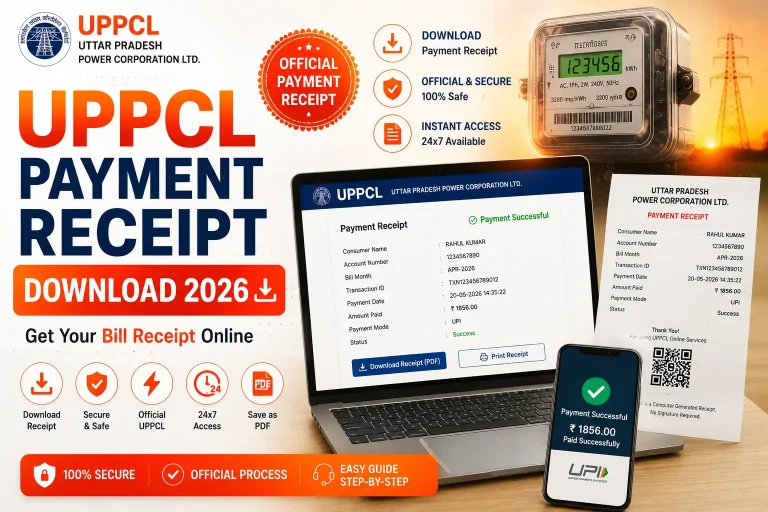
- Download or screenshot the payment receipt for your records
Method 2: Pay UPPCL Bill via Google Pay
Google Pay — Fast UPI Payment
- Open Google Pay on your Android or iPhone
- Tap on “Bill Payments” or “Electricity”
- Search for and select “UPPCL” as your electricity provider
- Enter your 10-digit account number
- Your bill amount will be fetched automatically
- Tap “Pay” and authenticate with your UPI PIN
- Payment is complete — receipt is sent to your registered mobile number
Method 3: Pay UPPCL Bill via PhonePe
PhonePe — Instant UPI Payment
- Open PhonePe app on your phone
- Tap “Recharge & Pay Bills” → “Electricity”
- Select “UPPCL” from the list of providers
- Enter your 10-digit account number and click “Proceed”
- Confirm the bill amount and tap “Pay”
- Enter your UPI PIN to complete the payment
- A receipt is generated instantly and saved in the app
Method 4: Pay via Paytm
Paytm — Wallet + UPI + Card
- Open Paytm and go to “Electricity Bill”
- Select “UPPCL” as your operator
- Enter your account number and fetch the bill
- Pay using Paytm Wallet, UPI, or any Debit/Credit card
- Download the receipt from “Transaction History” in the app
UPPCL Payment Methods — Comparison Table
| Payment Method | Processing Time | Convenience Fee | Receipt |
|---|---|---|---|
| upenergy.in (Official) | Instant | Free | ✅ Instant |
| Google Pay (UPI) | Instant | Free | ✅ Instant |
| PhonePe (UPI) | Instant | Free | ✅ Instant |
| Paytm (Wallet) | Instant | Free | ✅ Instant |
| Debit Card (Official) | Instant | Free | ✅ Instant |
| Credit Card | Instant | ~1–2% | ✅ Instant |
| Net Banking | Instant | Free | ✅ Instant |
| Cash at UPPCL Counter | Same Day | Free | Manual receipt |
What Happens If You Pay UPPCL Bill After Due Date?
UPPCL charges a late payment surcharge if you do not pay your bill before the due date. Here is what you need to know:
- A surcharge of 1.5% per month is added on the outstanding amount after the due date
- If the bill remains unpaid for more than 2 months, UPPCL has the right to disconnect your electricity connection
- Reconnection after disconnection involves additional fees and paperwork
- Your credit history with UPPCL may also be affected, which can impact future applications
UPPCL Payment Failed — What to Do?
If your payment was deducted from your bank account but not reflected in UPPCL’s system, follow these steps:
- Wait for 24–48 hours — most payments reflect automatically within this time
- Note down the transaction ID / UTR number from your bank or payment app
- Visit upenergy.in and use the “Payment Status” feature with your transaction ID
- If still not resolved, call UPPCL helpline 1912 with your account number and transaction ID
- You can also email at consumer.grievance@upenergy.in with full payment details
Pay Your UPPCL Bill Now
Enter your 10-digit account number and go directly to the UPPCL payment portal
Pay UPPCL Bill →Frequently Asked Questions
Conclusion
Paying your UPPCL electricity bill online is quick, free, and available 24×7. Whether you prefer the official UPPCL portal or popular apps like Google Pay and PhonePe, the process takes under 2 minutes once you have your account number ready. Always keep your payment receipt handy and pay before the due date to avoid surcharges.